One workspace
Today, tasks, sprints, calendar, projects, notes, whiteboards and a library of links, reading and flashcards, on one set of records with one search.

Case study · Optimus
Projects, tasks, calendar, notes, whiteboards and routines in one place. Its assistant answers questions about our work and drafts the changes, from new tasks to a plan for the day. Nothing changes until one of us presses Confirm.
01 Before
Tasks in one tool, the calendar in another, notes and whiteboards somewhere else, and nothing tied to the project it belonged to.
Knowing what mattered this morning meant stitching together a calendar, a task list and a chat thread.
A team workspace has to keep personal notes private while project work is shared, and an assistant has to respect the same line.
We tell clients an agent should ask before it acts. We wanted to work alongside one ourselves first.
02 Built
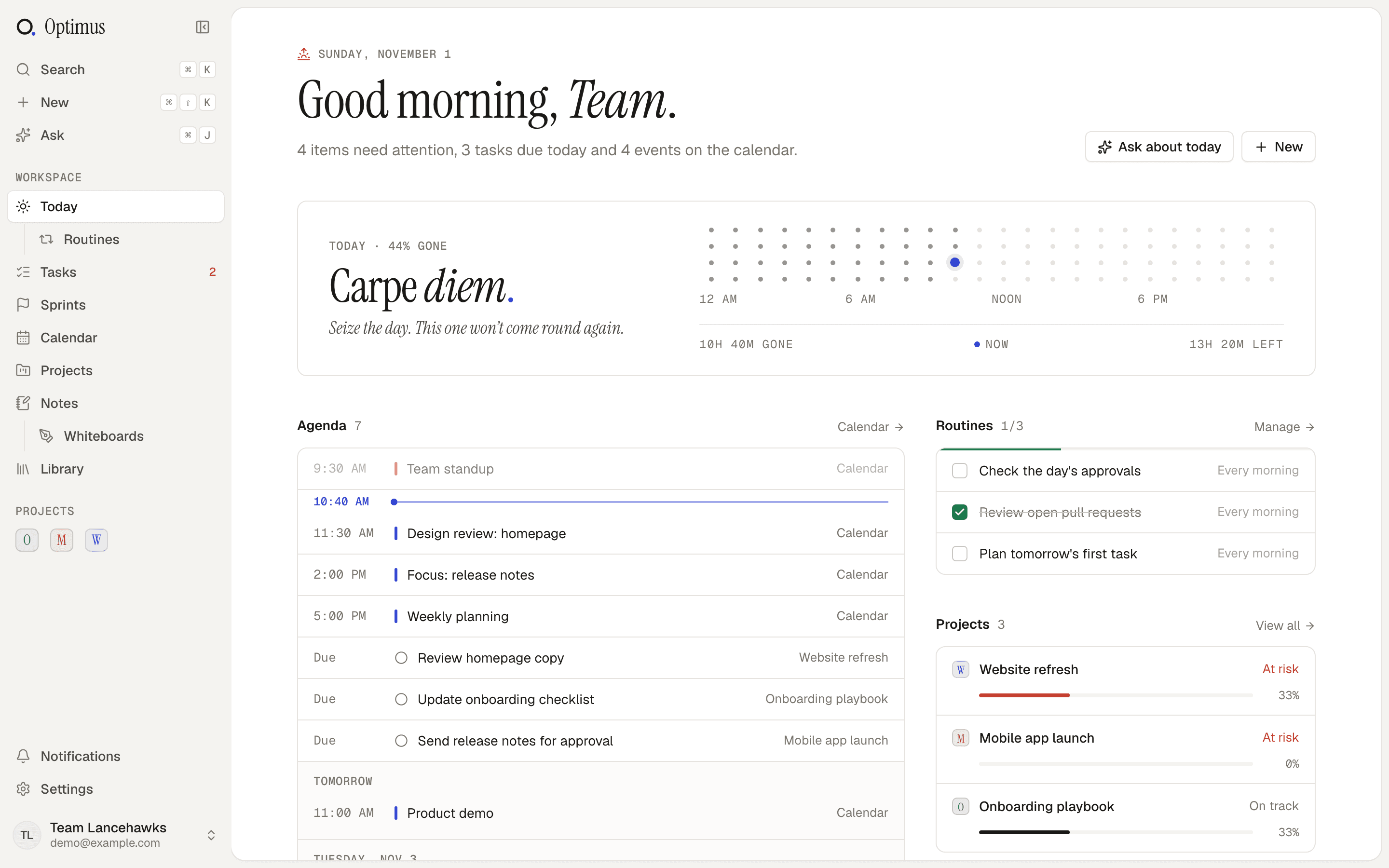
Today, tasks, sprints, calendar, projects, notes, whiteboards and a library of links, reading and flashcards, on one set of records with one search.
Events, planned blocks and due tasks merged around a “now” marker, with overdue and blocked work beside it and a morning review that offers a plan for the day.
Invite people to a project and its tasks, notes, events and whiteboards are shared with them. Personal ones stay private.
It looks things up as the person asking and drafts changes as cards. Teammates' writing reaches the model, so the gate means a planted instruction can't change anything, or copy a private note into a shared project, unseen.
Admins choose who may use the workspace key and which models are offered, each only after it passes a live check. Spend is tracked by member and model against a monthly budget, and members can bring their own key, encrypted at rest.
Members keep short notes about their role and how they like answers. The assistant reads them at the start of every new conversation.
03 On screen
04 Timeline
It started in February 2026 as notes and a to-do list, and grew one module at a time.
Notes and tasks first, then projects, the calendar and whiteboards in the same week.
Shared projects with invitations and activity, calendar time blocking and Google Calendar sync.
Read-only first. Admins decide who can use it, which models are offered and the monthly budget.
Twelve kinds of change, each drafted as a card and applied only when the member confirms it.
Next step
Bring it to a free 30-minute audit. We’ll tell you whether an agent should do it, what it would take and what it would cost — or that it shouldn’t.
30 minutes · free · no pitch deck